

 close

Find out how driver time accounting works and schedule a presentation
Leave your contact information in the form and we'll get back to you with a tailor-made solution, or contact us directly:
EMTRACK Sales Department
tel: +48 89 670 69 74
e-mail:
Accounting for a driver's working hours doesn't have to be cumbersome and take forever, especially after the changes introduced by the Mobility Package. The solution is to automate the entire process, which we can offer you with EMTRACK Customer Office. How does it work and what benefits does it bring?
The Mobility Package is an arrangement that made changes to regulations regarding drivers' driving and rest times, how they are posted, fair competition and tachographs, among other things.
A ddd file, downloaded from the tachograph's storage, is required to settle the driver's working time. The process itself can be cumbersome - the determination of rates according to the Mobility Package is done on the basis of border crossings and the type of carriage (bilateral, cabotage, cross-trade). What's more, all the steps are performed manually:
- ddd file download,
- collection of data on overruns,
- collection of freight data (bilateral, cabotage, cross-trade).
Fortunately, we have a solution that automates and thus streamlines your work, namely EMTRACK Customer Office.
How does EMTRACK Customer Office work?
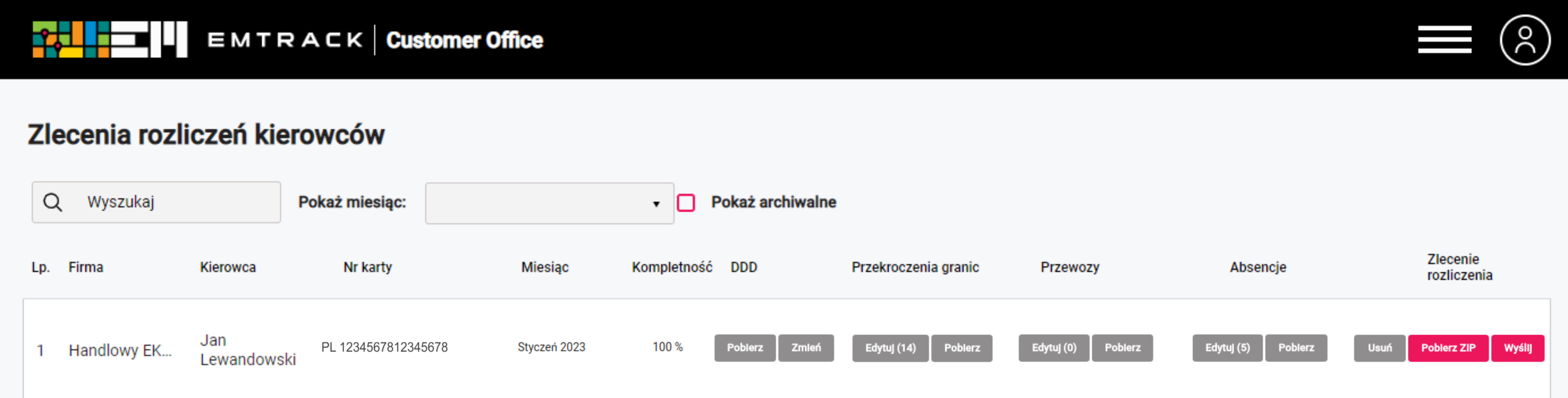
EMTRACK Customer Office, the module for driver time accounting, is very easy to use. By automating the process, we guarantee you time savings and the ability to get all the necessary information in one place.
How does a driver billing order look like in EMTRACK Customer Office? You only need 6 steps for this:
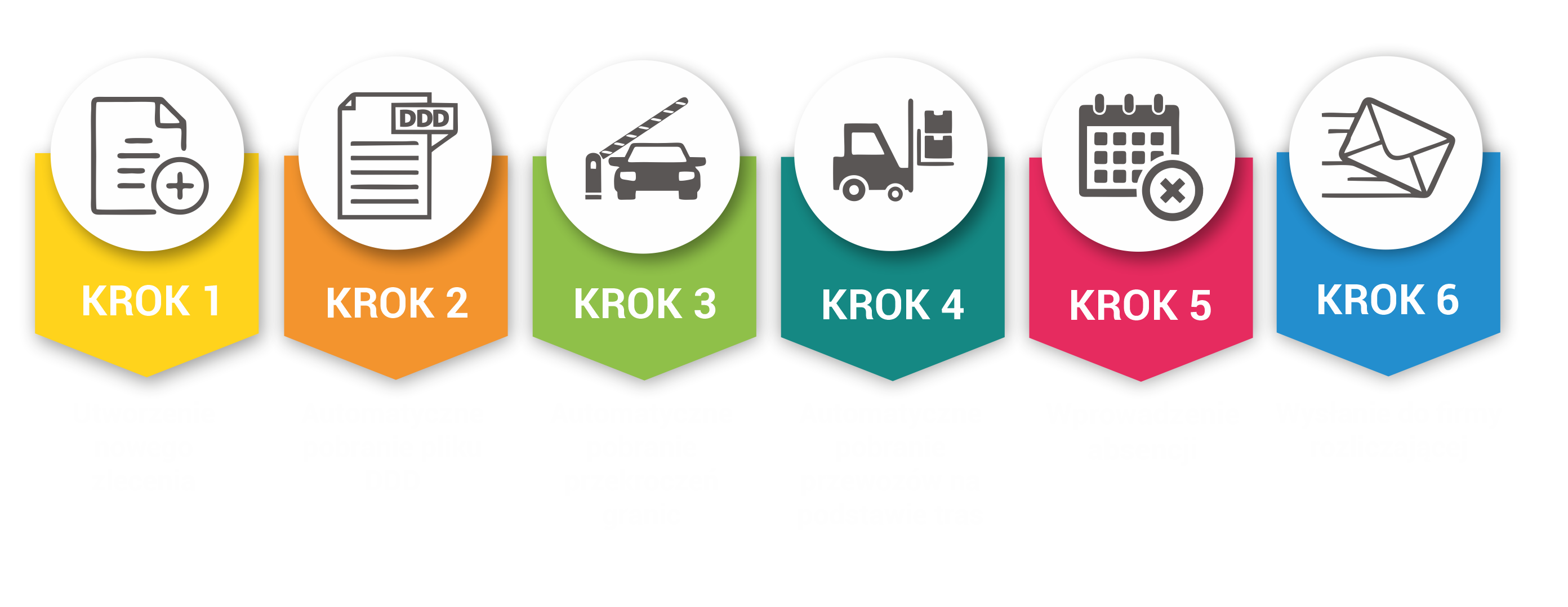
- Create an order by selecting a driver.
- Automatic downloading of the DDD file from the tachograph storage - if the driver is logged in a vehicle with a device that allows remote reading of data from the driver's card.
- Automatic retrieval of border crossings - from historical data in the application.
- Automatic retrieval of transportation based on routes - based on EMTRACK historical data. When planning a route for a given vehicle, you can enter information about loading and unloading, which helps you accurately plan points along the route (each of which can be assigned a specific activity), as well as monthly billing of drivers. This then allows you to automatically determine the type of transport performed (cabotage, bilateral, cross-trade) and optimally bill the driver - according to the Mobility Package.
- Entering absences - the only point where you need to enter data manually. These are sick leave, vacation or quarantine.
- Send to the billing company - the final step, which involves validating the data and sending a set of documents to the billing company or the person who handles the driver's time settlement.
What benefits does the driver billing module provide?
By implementing the EMTRACK application in your company, you are guaranteed to improve the productivity not only of your drivers, but also of the people who are responsible for fleet management. It is also worth mentioning the increase in competitiveness on the market, thanks to the generated savings.
The main benefits that EMTRACK will provide you with are:
- The automation of the process and the reliance on historical data in the EMTRACK application makes the preparation of the documents necessary to settle the driver's working time simple and very fast,
- The complete set of documents is in one place,
- documents are automatically sent to the company or the person in charge of accounting for the driver's time,
- The system allows you to set up cyclic notifications that effectively remind you to complete the settlement.
All this allows you to focus not on formalities and documents, but on what is most important - your business.